Your autogate closes, but the auto-close never kicks in, so the gate stays open until someone notices.
In a terrace house driveway or a condo parking lane, that feels unsafe and embarrassing.
In Malaysia, heat, humidity, and sudden rain mess with sensors, wiring, and control box logic.
One tiny false signal can cancel auto-close, even when the motor itself is fine. A logic problem.
In this guide, you’ll learn why auto close fails and how to restore it safely by checking timer settings, sensor inputs, and the rules the controller follows when it detects risk or confusion.

Hi, I’m Ken. I write practical home guides for Malaysia—no fluff, just what works.
I hold a formal building design qualification and have spent about 20 years on job sites across hundreds of projects. My goal is simple: help you avoid costly mistakes with clear, safe steps—a quick way to decide what to do next.
1. Autogate auto-close fails: 5 checks
Auto close fails because the controller thinks something is unsafe.
Auto-close is usually blocked by a safety input, a timer value set to zero, or a mode setting that disables the function—Malaysia humidity makes false triggers more likely.
Start with visible clues, not guessing. Safety first.
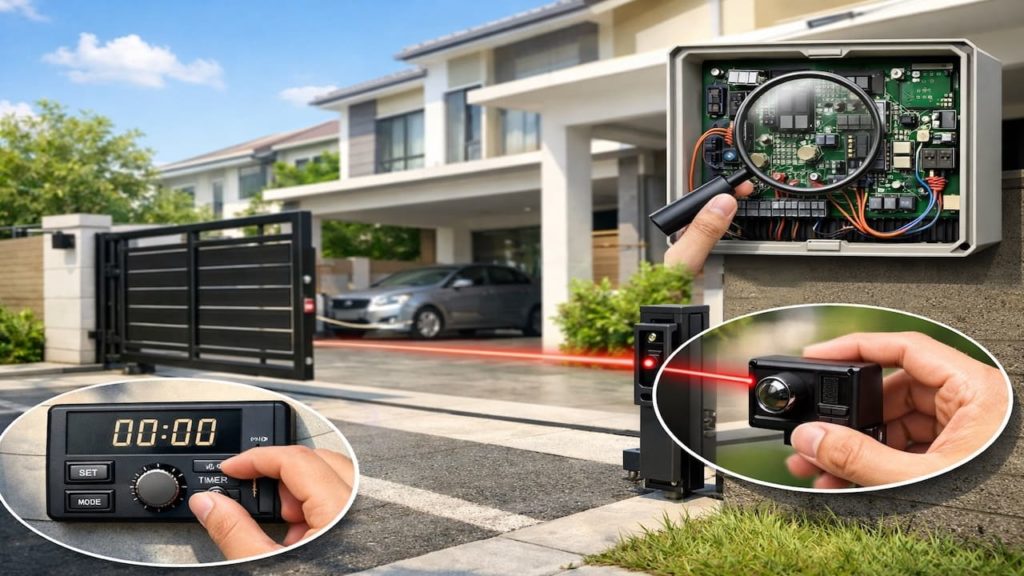
- Check auto close timer value in control box
- Confirm auto close mode is enabled setting
- Watch safety LED status during open cycle
- Test remote then wall button auto close behavior
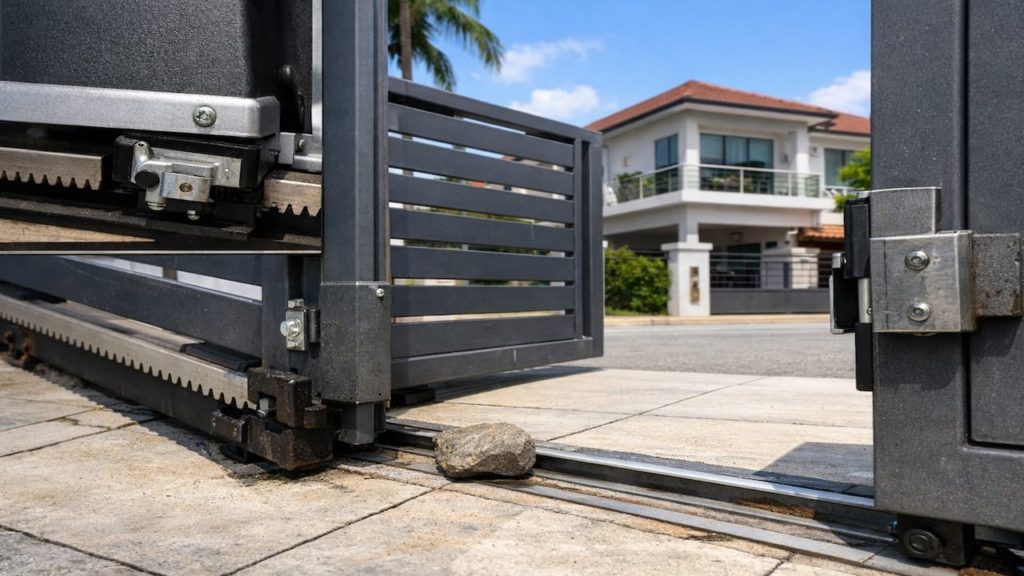
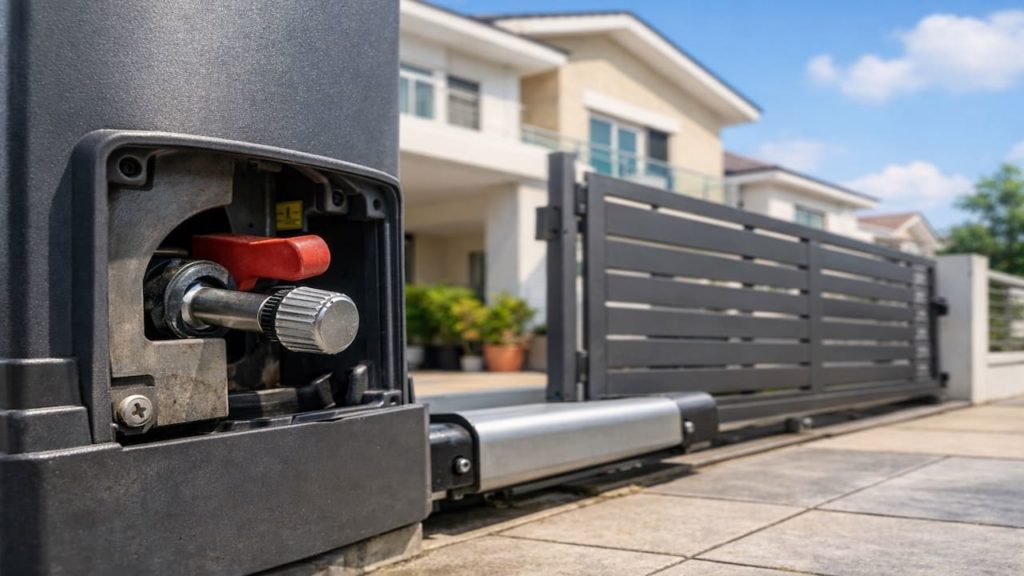
- Check gate fully reaches open limit switch
You might assume the board is broken and want to replace it immediately.
Not yet—many failures are just a blocked input or a missed limit, so verify the basic conditions first.
Auto close fails because the controller thinks something is unsafe.
2. Timer settings, sensor input, & logic rules
Timer and sensor logic decide whether auto close is allowed.
Most boards follow simple rules—if any safety beam is triggered, if loop input is active, or if open limit is not confirmed, the timer will never count down.
In Malaysia condos with reflective floors, sensors can misread. Annoying.
- Set timer to 10 seconds for testing
- Clean photocell lenses using dry microfiber cloth
- Re-aim photocells until LED shows stable alignment
- Check loop detector input is not stuck
- Confirm open limit switch clicks and holds
Some people try to bypass sensors to force auto-close, because it “works faster.”
That is risky, and the board may still refuse if logic sees an error state, so fix the input quality instead of cheating.
Timer and sensor logic decide whether auto close is allowed.
3. Why auto-close fails during Malaysia weather cycles
Heat and moisture create false inputs that cancel auto close.
After storms, water film on terminals and ant trails inside the control box can create phantom signals, and the board behaves as if a safety beam is blocked.
Hot afternoons then expand plastics and shift sensor aim. Repeat cycle.
- Inspect control box for moisture marks and corrosion
- Check cable glands are tight and sealed
- Look for ants debris near terminal screws
- Check sensor wires for cracked insulation sections
- Measure power supply voltage under gate movement
You may think the timing is random because it only fails sometimes.
It is not random—humidity and voltage dips move the system across a threshold, so the logic flips between “safe” and “blocked.”
Heat and moisture create false inputs that cancel auto close.
4. How to restore auto-close safely and test it
Restore auto close by isolating inputs then re enabling features.
Test in a controlled way so you do not create a new hazard, especially in a shared condo lane or a narrow terrace porch.
Do one change at a time, and log what changed. No chaos.
- Disable auto close then re enable after reset
- Disconnect photocell input temporarily for diagnosis only
- Reconnect sensor then retest timer countdown behavior
- Relearn limits so board confirms open close endpoints
- Seal control box entry points to prevent moisture
You might worry that testing will lock you out or stop the gate mid-cycle.
That is why you start with a short timer and an open space, then confirm safety devices still stop movement when blocked.
Restore auto close by isolating inputs then re enabling features.
5. FAQs
Q1. Can auto-close fail because the remote battery is weak?
A weak remote battery usually affects opening range, not auto-close logic, because auto-close runs after the gate is already open. Still, weak signals can confuse some boards if the button is stuck.
Q2. Why does auto-close work at night but not in the afternoon?
Heat can shift photocell alignment and expand plastic mounts, and bright sunlight can wash out sensor receivers. In Malaysia, that sun-and-humidity combo is a common trigger.
Q3. Is it safe to disable the safety beam to make auto-close work?
Only as a short diagnosis step, and only when the path is clear and supervised. Do not leave safety inputs bypassed because it can close on a person or vehicle.
Q4. What timer value should I use for normal daily use?
Use a timer that fits your driveway rhythm, often 10 to 30 seconds, but start short for testing. If your gate closes too soon, fix sensor placement before increasing force.
Q5. When should I call a technician?
If auto-close fails after you confirm clean sensors, stable voltage, and correct limits, the board may have a failing relay or input circuit. Also call if you see corrosion inside the box.
Pro’s Tough Talk

I’ve been on site for 20+ years and handled hundreds of autogates, and auto-close failures drive people nuts because it looks “almost normal.”
Malaysia humidity makes sensors lie, then the board acts like an overprotective guard.
It’s usually 3 buckets: timer is off or set wrong, safety inputs are triggered or noisy, or the board never sees a clean open limit so it refuses to start the countdown.
Not your fault, and not every installer is trash, but the logic is unforgiving.
Do 3 steps now: set the timer to 10 seconds for testing, clean and re-aim the photocells, then re-learn limits so the controller knows what “fully open” means.
One change at a time. Calm hands.
Fix inputs before blaming the board and you save money.
Chasing parts without tests is like swapping tires to fix a steering problem, and yeah that “just bypass the beam” move is a clown shortcut. That jab stands.
Two relatable moments: you hit the remote again and again like it will “convince” the gate, then it stays open anyway.
And you only notice the beam is blocked by a leaf after 3 days. Comedy.
Keep ignoring it and the gate will teach you, loudly.
Summary
Auto-close failures usually come from timer settings, a blocked or noisy safety input, or missing limit confirmation. Malaysia heat, rain, and humidity make false sensor states more common.
Use a clean decision line: if sensors are clean and aligned, voltage is stable, and limits are confirmed, auto-close should count down. If it still fails, suspect board input or relay wear.
Set a short test timer today and verify each safety input one by one.
Then read our guide on autogate photocell blocked to lock in sensor stability and stop repeat auto-close failures.